
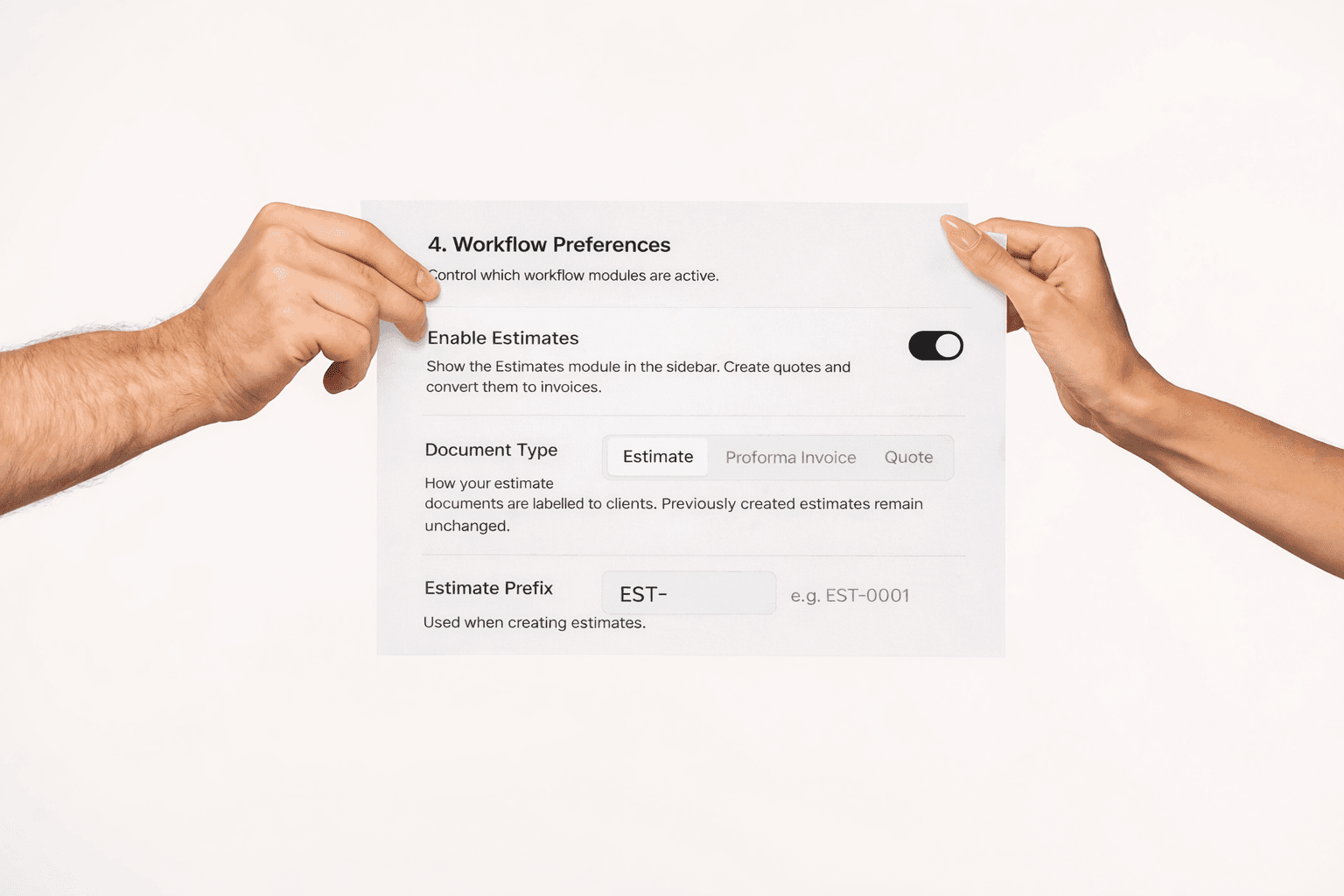
When the words on your documents don't match the words your clients expect, trust takes a hit.
If you've ever sent a client a document labelled "Estimate" only to hear back, "Can you send that as a Proforma Invoice instead?" you know how awkward that moment feels. It's small, but it matters. The language on your documents sets the tone for how professional and attentive your business appears.
The problem we kept hearing about
We built ColorInvoice to help businesses look polished and professional. But we noticed something: the word "Estimate" doesn't work for everyone. If you haven't tried our estimates feature yet, it's an opt-in module that lets you create proposals and convert them into invoices with one click.
Same document. Same purpose. But the document label changes everything about how it's received.
What we built and why it's more than a dropdown
Starting today, you can choose how your estimate documents are labelled across your entire account. Head to Settings → Workflow Preferences → Document Type and pick the term that fits your business:
That's it. One choice, and it flows everywhere automatically.
Here's what changes when you switch:
Not a single place is missed. And the best part? Your existing documents remain unchanged. Only new interactions reflect your chosen terminology.
Why this matters more than you might think
When a corporate procurement team receives a PDF labelled "Proforma Invoice" instead of "Estimate," it doesn't just look right: it processes faster. Many organisations have strict naming conventions in their approval workflows. A document with the wrong label can get kicked back, delayed, or ignored.
For freelancers sending a "Quote" to a potential client, that word carries weight. It says: here's exactly what I'll do, and here's what it costs. It's confident. It's clear.
The terminology you choose isn't cosmetic. It's a signal to your clients that you understand their world, speak their language, and pay attention to the details they care about. This philosophy extends to all your client touchpoints. If you're still sending invoices from a generic platform, find out how generic invoicing hurts your brand's revenue.
How to switch
Open Settings from the sidebar
Scroll to Workflow Preferences
Under Document Type, click the term that fits your business
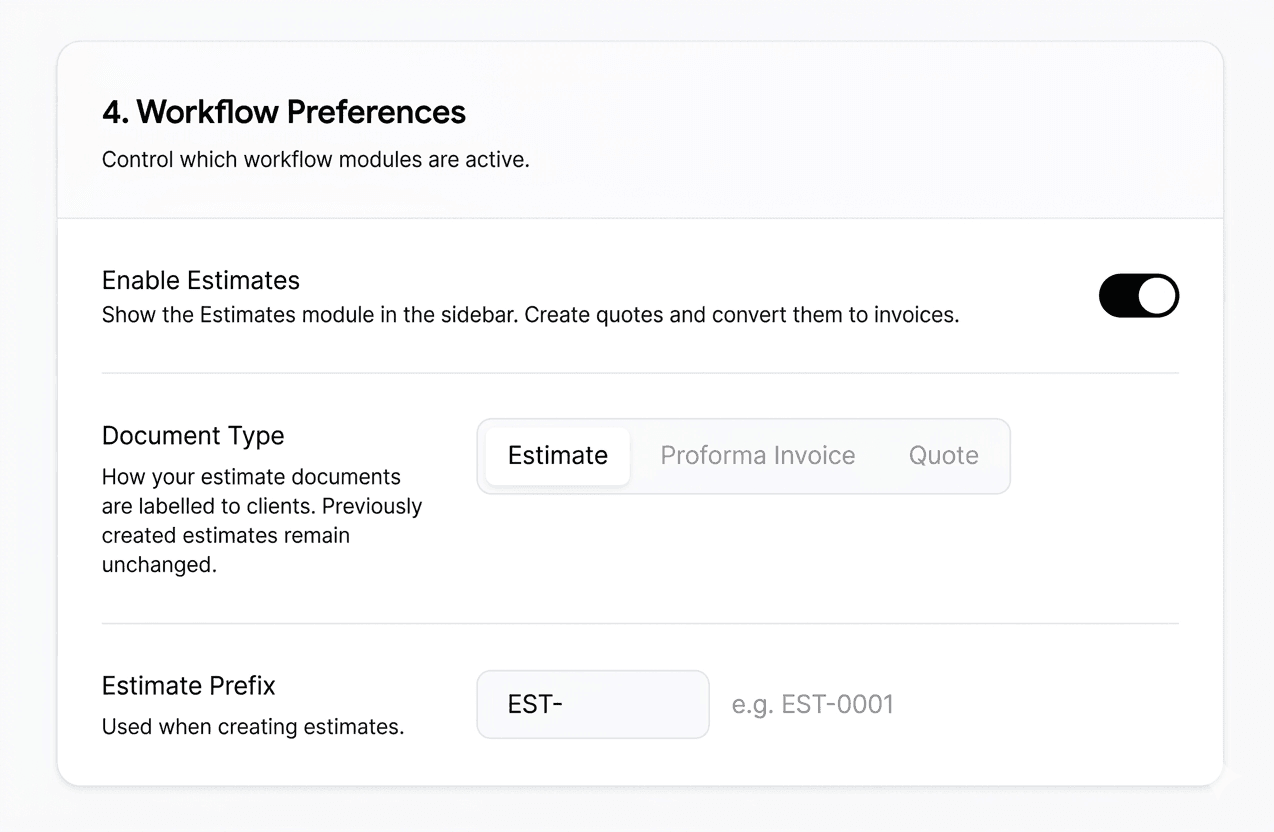
Your prefix will auto-update (you can customise it further if you'd like)
Hit Save
That's it. Every screen, every email, every button: updated instantly.
We're always listening. This configurable estimates feature came directly from conversations with users who told us that one word on a document could make the difference between looking like an amateur and looking like a pro. We agreed, and we built it. If you run multiple businesses, each one can have its own preferred document label.
Have a feature request? We'd love to hear it.
Ready to upgrade your billing experience?
Stop sending generic PDFs and maintain your brand identity down to the final receipt.
Start your 5-day free trial